#340: Running Scripts With uv run
If we dive into Python scripting or need to share a small utility with a colleague, we quickly run into a familiar problem: Incompatible or missing package versions. We can solve that problem with virtual environments, but that brings us right to the next one. Managing multiple environments for small, standalone scripts is tedious and breaks the workflow.
In a previous post, we looked at how uv works as an incredibly fast pip replacement. Today, we look at uv run, a command that completely changes how we execute Python code without worrying about background configuration.
What is uv run?
When we run code with standard Python, we usually have to create a virtual environment, activate it, and install our requirements via pip first.
With uv run, the tool handles the environment setup automatically. It looks at our project's configuration (like pyproject.toml) and silently verifies that the required packages are present before running the script. If anything is missing, uv installs it into an isolated cache instantly. We do not even need to think about activation scripts anymore. All we need to do is to run this command:
Inline script metadata
The real superpower of uv run comes into play when we want to execute a standalone script that requires external libraries, but we do not want to set up an entire project structure for it.
Thanks to support for inline script metadata (PEP 723), we can define the exact dependencies right inside our script comments. Let us create a script named hello_uv.py:
If we hand this script to someone else who has uv installed, they do not need to install anything manually. They can execute it immediately with this command:
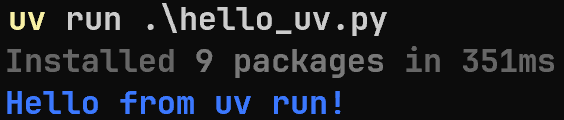
uv reads the commented header, fetches requests and rich into an isolated, cached environment, and executes the code. It leaves the global environment completely clean, and we end up with our blue text in the console:
Why use it?
- It is fast: Because uv is written in Rust, resolving dependencies and preparing the execution environment happens in milliseconds.
- It is reproducible: The script defines its own requirements. There is no risk of the script failing because a global package updated or changed in the background.
- No project structure required: We can keep our folder clean and still use powerful external libraries for small automation tasks.
Next
With uv and its little helper uv run we can create small scripts that are easy to share and save the extra step of preparing the virtual environment. Next week we go back to LangGraph and see how we can create deep agents.