#311: Creating Packages With uv
As I introduced project management with uv in this blog, we skipped the code part of creating our own packages. Let us end the year with closing this gap and see what it takes to make a package for PyPI.org
Create an account at PyPI.org
Before we can use PyPI.org to distribute our packages, we need to create an account. Go to https://pypi.org/account/register/ and fill out the form. After submitting the information, make sure to verify the email address, otherwise you may run into problems along the way.
When everything is ready, create a token to access the account from the command line. For that we need a name and then must copy the generated token – otherwise we lose it and need to create another token.
In the file ~/.pypirc (on Windows this will be c:\Users\USERNAME\.pypirc) we paste the configuration setting from the token page that looks like this:
Currently, uv does not support this file, but other publishing tools like Twine do.
Create a new project
To create a package, we need to have some code that we can put into that package. For this we create a new little project that flips a coin and answers with yes or no. We can initialise our project with this command:
If we want to run our project as a command line tool, we need to follow the structure for CLI tools as described in the Python Packaging User Guide. For that we need to create a src folder that contains a folder with the name of our command and the Python code inside a cli.py file:
This should give us this structure for our project:
coinflip:
|   .python-version
|   pyproject.toml
|   README.md
|   uv.lock
\---src
    +---coinflip
        |   cli.py
        |   __init__.py
Fill the files
We now can put our content into the files. In our README.md file we put this documentation:
In pyproject.toml we can put this configuration:
Our logic for the coinflip goes into src\coinflip\cli.py:
The files __init__.py, uv.lock, and .python-version stay as they are.
Build and publish the package
We can build our package with this command:
When everything worked without an error, we can find our package inside the dist folder. From there we can publish our package to PyPI:
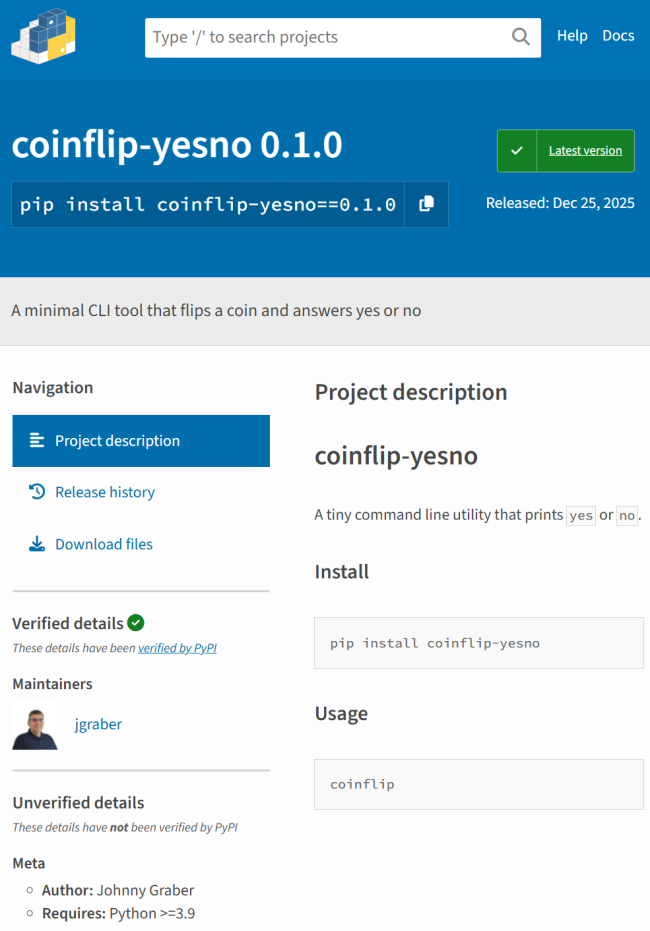
We need to use __token__ as the username and our token as the password. I hope uv will soon support the ~/.pypirc file, but until then we need to put in the username and password when prompted or through environment variables. If the upload succeeds, we can find our package on PyPI:
Install our package
We can now install our package like any other Python package using pip or uv:
If everything worked with the CLI specification, we could run our script directly from the command line:
Conclusion
It only takes a bit of preparation and a few extra tools, but otherwise creating a Python package and distributing it through PyPI.org is not much different from creating a local Python script. While our package is as minimal as it can get, it has all the important parts in it. From this base we can build on top and create a much more useful package. I hope this helps you with your own packages.