#271: Querying Data With DuckDB
DuckDB is a fast database, that allows us to use SQL to interact with our data. But that is not where the story ends. While we can use a lot of common SQL syntax, we get a few helpful features that help us to work more effectively with our data. Let us explore them.
Select as usual
We can use select to fetch the rows we are interested in. As with many other systems, we can use a * to fetch all columns:

If we only care for some columns, we can specify them explicitly. If the column names have spaces, we need to use ” around the names - ’ will not work:

Select with a twist
If we want to have all columns except one, we can specify all other columns as we would do in any other database. But when we query DuckDB, we can use the * and combine it with the EXCLUDE keyword. We can now pass the column name that we want to exclude:

The EXCLUDE keyword accepts a list of columns, that allows us to exclude multiple columns with this syntax:

If we want to run a transformation on a specific column, we can use a similar syntax. To turn the country names into lower case, we can use this command:
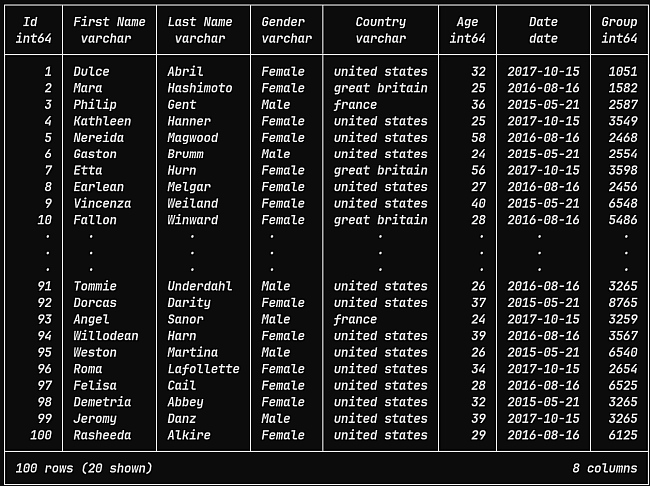
If we need a range of numbers, we can use the table function range() and use it like the (range function from Python](https://pythonfriday.dev/2020/02/6-control-structures/):

Joins
We can join two or more tables with the JOIN keyword. It is best to give each involved table an alias and then specify the columns we want to match in the format alias.column:

Group values
Especially in combination with count(*) we need to specify what columns we want to group. For many basic queries DuckDB can offer us a shortcut with the GROUP BY ALL helper where we do not need to list the columns explicitly:

This is a great help when we build up the query and do not need to keep repeating the same column names over and over again.
Limit and offset
When we want to page through our data, we often need to combine LIMIT (how many rows we want) and OFFSET (how many rows we want to skip). In DuckDB we can use these two keywords as we would in SQL Server:

Get a sample
To analyse data, it is often helpful to take a glimpse into the table. In DuckDB there is a function for this where we can specify how many rows we want:

According to the documentation we should be able to use this command with a percentage value. However, with my small CSV file I usually ended up getting nothing back.
Another function to get a sample of the data back is USING SAMPLE that we can use like this:

With this approach we can use the percentage value and use the Bernoulli sampling method:

Next
DuckDB offers us a straightforward way to query data in SQL. If you worked with any other SQL database, you should feel right at home. In this post we explored the most common query syntax. But there are many more helpful functions that you can explore on your own.
Next week we dive into the extensions for DuckDB that help us to solve common problems.