#183: Advanced Tips & Tricks for JupyterLab
JupyterLab offers us many little tricks to work more effectively. In this post we explore a few helpful tips I would no longer want to miss.
Code completion
When we write code in the Jupyter notebook, we can type the name of the methods and functions by ourselves. However, a much faster and less error-prone way is to type the first few characters and then hit the tabulator key (Tab) to get the code completion suggestions in Jupyter in the same way we are used to in our IDE:

Show the documentation
When we are typing our method names, we can use Shift+Tab to access the documentation for that method immediately:
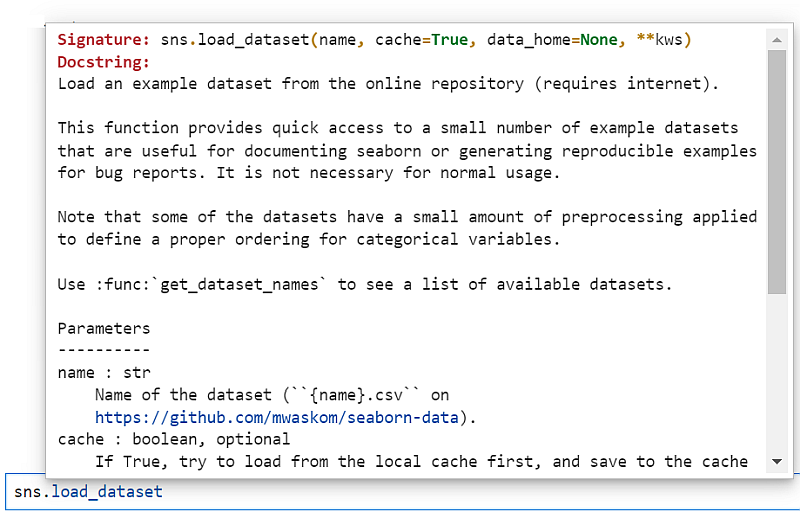
If we add a ? behind the method name and run the cell with Shift+Enter, we get the documentation as part of the result:

Toggle line numbers
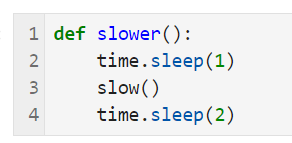
We can show (or hide) the line numbers in the cells with the key L when we are in the command mode. That toggles between showing and hiding the line numbers:
The magic commands
Jupyter offers us magic commands that are prefixed with a % for line commands and with a %% for commands that work on the whole cell. We can get a list of all available magic commands with %lsmagic:

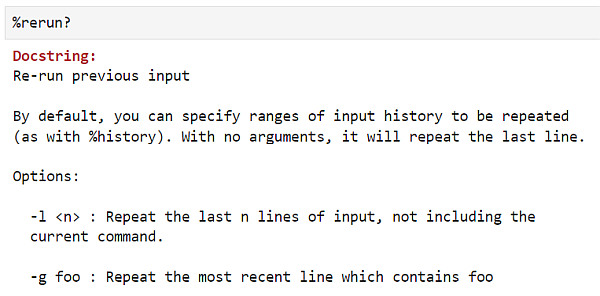
If we want to know more about a magic command, we can use the help system and type the command followed by a ?:
Accessing the environment variables
We can use %env to read our environment variables. We can also set a value for a variable, but be aware, that this will only affect the current notebook and vanish as soon as you stop the notebook.

Show the history
We can get a list of the last commands we run in the notebook with the %hist magic command:

Access the command prompt
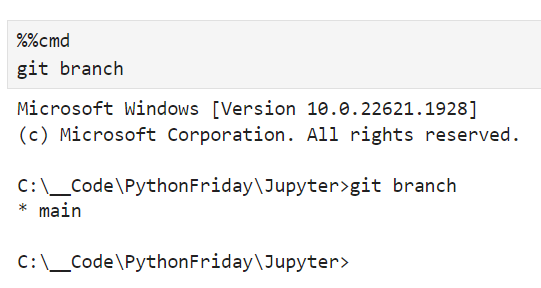
We can run commands on the terminal with the cell magic command %%cmd that will execute the remaining lines of the cell in your terminal and show you the result:
Next
With these tricks you should be able to get a much nicer experience when working with JupyterLab. Next week we explore a few of the performance-related magic commands that help you to figure out how long things run and if we have code that we need to optimise.